3D virtual tour
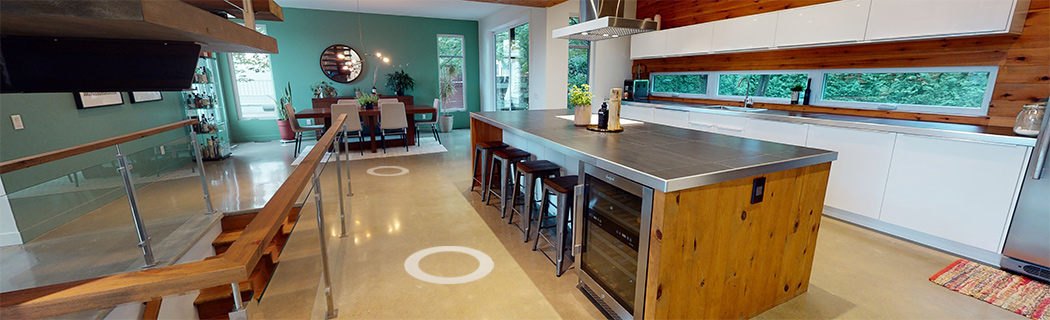
The 3D virtual tour is included in our most comprehensive package1. Sellers with a virtual tour in their listing have a considerable edge over the competition. It’s a perfect way to screen buyers because it helps speed up their decision-making process. As they do a virtual walkthrough of your property, they can quickly determine whether it meets their needs, without having to see it in person. This can save both you and the buyer an unnecessary visit.
The virtual tour is one of the most appreciated technological tools in real estate due to all the advantages it offers. It raises a homeowner’s chances of selling quickly and facilitates the buyers’ search. It lets potential buyers explore every room in the home whenever and wherever is most convenient for them.
See this tool’s full potential for yourself by clicking on the buttons at the bottom left of the 3D virtual tour to switch from one type of view to another.
3D navigation
The interactive, high-resolution, three-dimensional view lets buyers see the interior of a home from every angle. They can move through the space at their leisure by following the arrows, and take as much time as they need to examine all the details, from floor to ceiling.
Bird's-eye view
The “bird’s-eye view” gives buyers a better idea of the property’s shape. The 3D floor plan shows the house as if it were a mock-up or scale model. It separates it by floor, clearly showing the layout and which room is above which.
Measurement tool
To help buyers visualize the space, the 3D virtual tour even offers the possibility of measuring a distance, a wall or invisible elements. The accuracy of the measurement will depend on the conditions when the images were taken. We therefore recommend double-checking by taking measurements from multiple angles.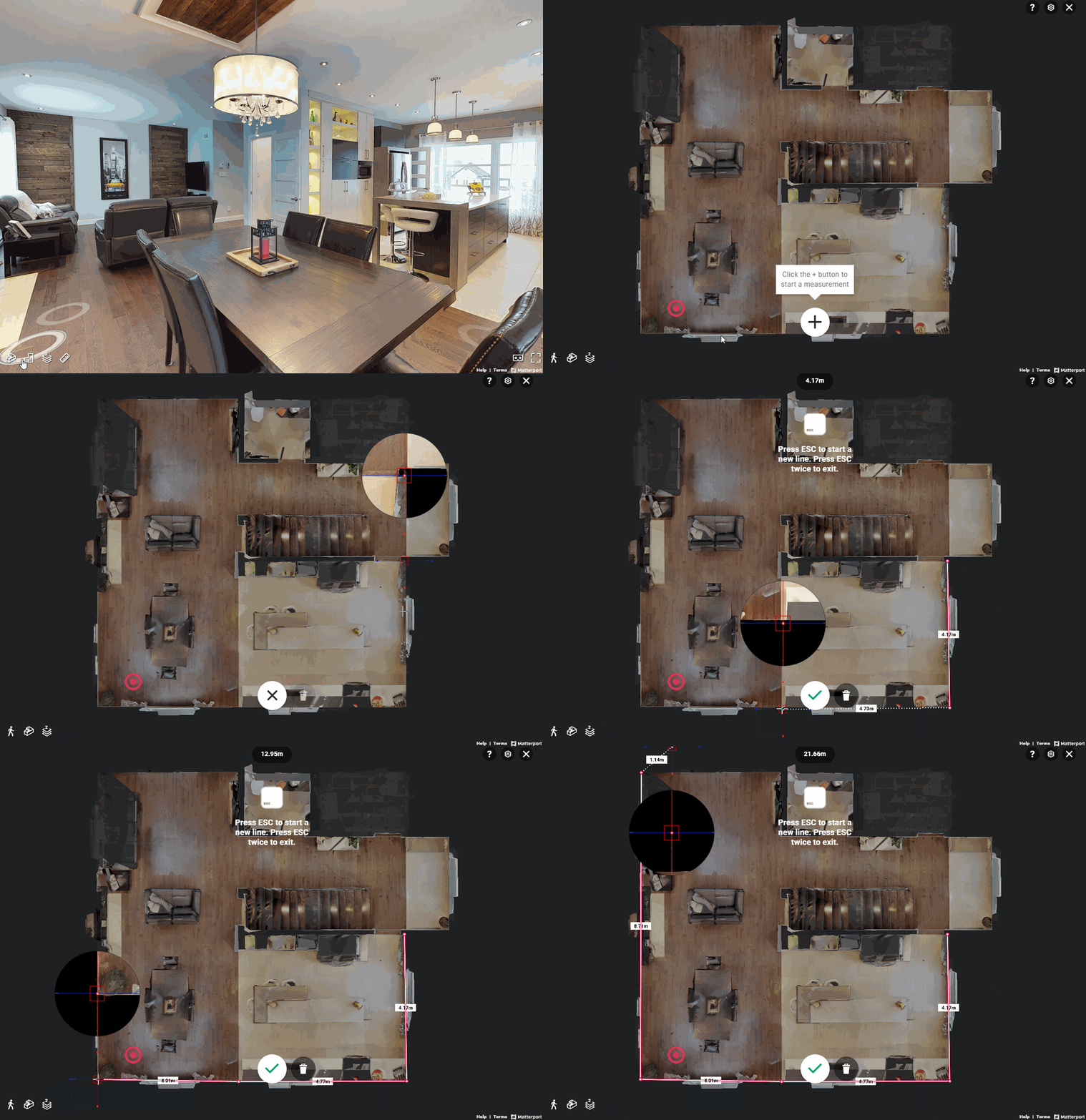
1. Open the virtual tour and click on the ruler in the lower left-hand corner.
2. Click on the + in the middle of the bottom of the page.
3. Click on a spot you want to start measuring from.
4. Move your cursor to the spot you want to measure to, and then click on the checkmark to create a measurement line.
It is possible to visualize the measurements in feet/inches or in metres/centimetres. To switch from one to the other:
1. Click on the ruler to launch the measurement tool;
2. Click on the gear icon in the upper right-hand corner of the virtual tour;
3. In the section titled Units, select Metric for metres/centimetres or UNITED STATES (Imperial system) for feet/inches.
FAQ
When will the 3D tour of my property be available in my listing?
If your package includes this tool, a DuProprio representative will capture the images needed to create the 3D tour during your initial appointment. Then, 48 to 72 hours after the appointment, you will be able to see the result in My DuProprio, by previewing your listing. Click on "Preview my listing" in the menu to the right.
Can I choose where my 3D tour starts?
Yes. If you want to change the first room that will be shown when starting the 3D virtual tour, contact our customer service department at 1 866 387-7677.
Can I change the image in my photo album that leads to the 3D tour?
Yes. If you are not happy with the photo visitors will click on to start the 3D virtual tour, contact our customer service department at 1 866 387-7677.
1- Gold package (formerly known as the Exclusive)